Introduction: The End of Cliché Gifts
Let’s be honest: a box of chocolates and a dozen roses is fine, but it’s predictable. In 2026, the most valuable gift you can give is an experience.
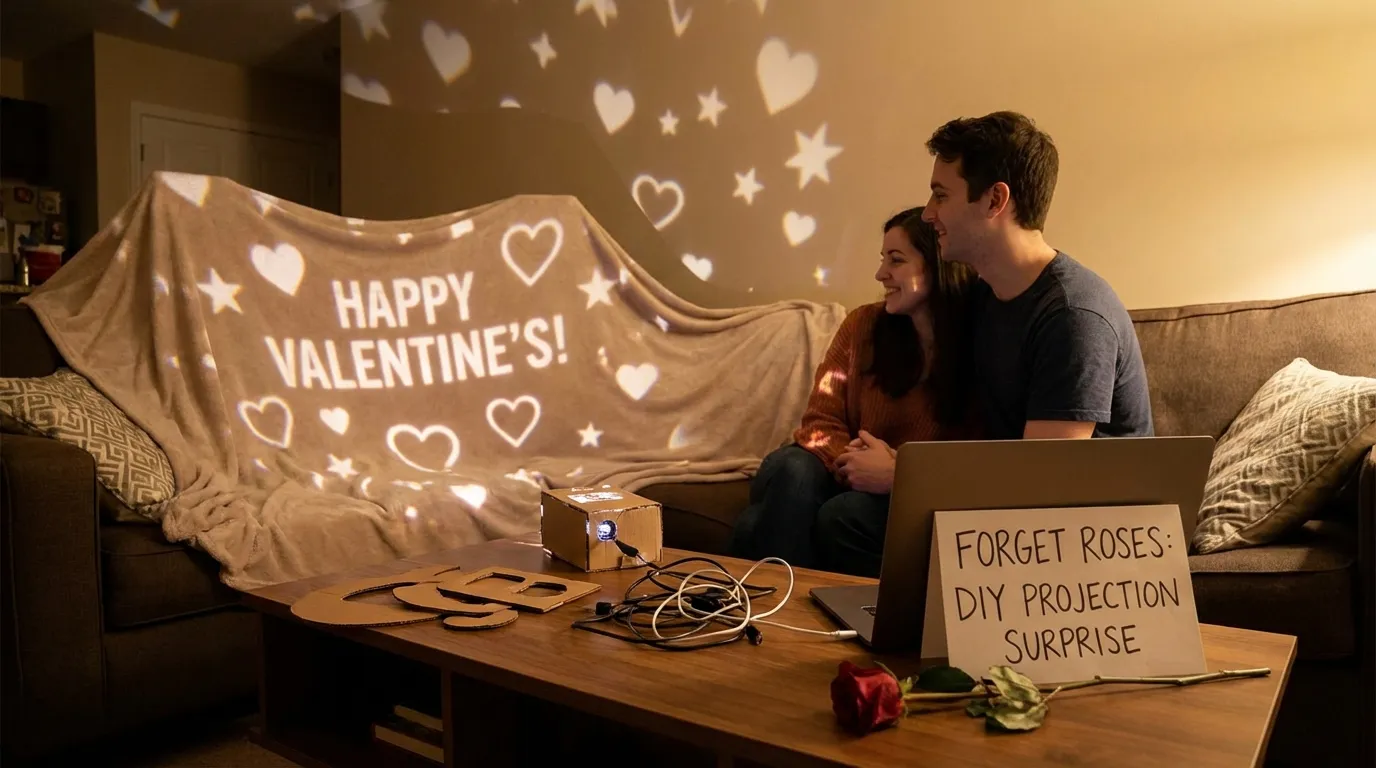
Imagine your partner walking into a room transformed into a starry night, or sitting down to a dinner where the tablecloth is alive with falling rose petals, or seeing a photo montage projected perfectly inside a heart shape on the wall. This isn’t expensive event planning—it’s DIY projection mapping, and you can do it at home with a cheap projector and your smartphone.
Why Projection Mapping is the Ultimate Romantic Gesture
Projection mapping lets you “paint” with light. Unlike standard ambient lighting or candles, mapping is dynamic and personal—perfect for Valentine’s surprises, date nights, and proposals.
- It’s immersive: you aren’t just watching a screen; the environment changes around you.
- It’s personalized: you can project your photos, your names, your memories—not generic hearts.
- It’s surprisingly easy: if you can use Instagram filters, you can use SurfaBeam.
3 Creative Projection Ideas for Valentine’s Night
1) The “Memory Lane” Dinner Table (Beginner)
Transform a standard dinner at home into a high-end dining experience—without changing your table setup.
- The setup: mount your projector above the dining table (pointing straight down), or place it on a high shelf at an angle.
- The idea: map the table surface, but mask out plates and wine glasses.
- How SurfaBeam helps: map the tablecloth as its own surface — light only lands inside a surface, so the plates and glasses outside it stay dark. For a tighter cut, photograph the set table from the projector position, turn it into a black-and-white PNG, and hand it to Pick Custom Mask, tuning the Threshold slider until light stops at every rim—making dishes look like they float over digital rose petals or moving abstract art.
2) The Immersive Bedroom/Lounge (Intermediate)
Change the entire mood of a room without painting a wall. Perfect for a cozy movie night or a surprise reveal.
- The setup: place the projector in a corner aimed at the largest blank wall or ceiling.
- The idea: turn the ceiling into a slow galaxy, or a wall into a gentle waterfall / bokeh glow.
- How SurfaBeam helps: use Corner Pinning to stretch and align the content to the wall edge-to-edge for a seamless, immersive backdrop.
3) The “Precision Heart” Proposal (Pro Move)
Ready for maximum impact? This is the “how is this even real?” moment.
- The setup: cut a large heart shape out of white cardboard or foam core and stick it to the wall.
- The idea: project a slideshow or “Will You Marry Me?” exactly inside the heart shape—no light bleeding onto the wall behind it.
- How SurfaBeam helps: toggle WARP and pull the orange tangent handles so each edge bows to the heart’s curve — and for the tight notch at the top, give Pick Custom Mask a black-and-white heart PNG so the cut follows the contour exactly. The heart looks alive with video.
Ready to try it?
Download SurfaBeam Pro and start your Valentine’s setup.
Pick a romantic loop or your own photos, warp to your surface, mask around objects, and hit play. Your surprise can look “event-level” in minutes.
More Ideas Worth Stealing
The three setups above cover most Valentine's plans, but if none of them fit your room (or your partner), here are four more that work with the exact same gear.
The "Memory Wall" Montage
Instead of one big slideshow, split the wall into separate "frames." In SurfaBeam, tap Add Surface for each frame and drag its four dots into place—everything outside your surfaces stays black, so each clip sits in its own clean rectangle. Put your wedding video on the left, vacation photos on the right, and the wall starts to feel like a gallery instead of a screen.
The "Starry Night" Ceiling
A bedroom-scale planetarium: set the projector on a bedside table, aim it at the ceiling, and load a slow galaxy or shooting-star loop. Because the projector sits at an angle, the image will land stretched—drag the four corners until the stars look round instead of oval, and dim every other light in the room.
The "Virtual Window"
Stuck in a city apartment? Project a view you don't have—the Eiffel Tower at dusk, a beach sunset, a slow skyline—onto closed blinds or a hanging white sheet. Map the surface edge-to-edge, match the scene to your dinner and music, and you've built a "travel date" without leaving the living room.
The Timed Proposal Reveal
The heart cutout from idea 3 isn't the only way to pop the question. A garage door or garden wall works too—anywhere you control the lighting. Map the surface and test it earlier in the day, then queue a "Will You Marry Me?" clip with a few seconds of black at the start. When the moment lands, hit play from your phone: the wall goes from dark to message in one clean beat, with no fumbling.
What this setup is (and is not): one projector, one output. SurfaBeam does not do multi-projector edge blending, DMX or 3D-model mapping — for a living-room surprise you need none of that. The free version has the full mapping, warp and masking toolset, with a watermark on the projected image and an entry gate before mapping; Pro removes both and unlocks Save and Load — worth it if you align the surprise in the afternoon and want it back exactly at eight.
A Quick Guide: Your 10-Minute Setup
Don’t spend date night fighting technology. Here’s the fast track to a clean, romantic setup.
- The gear: any portable projector (even a cheap mini projector works in a dark room) + your phone with SurfaBeam installed.
- Connect: go wireless via AirPlay/Miracast, or use an HDMI adapter for rock-solid stability.
- Align: point the projector at your surface (wall, table, ceiling, or heart cutout).
- Warp: open SurfaBeam, drag the four corners, then bend the edges with the orange handles until the video fits perfectly.
- Content: load rose petals, a slow galaxy, or a personal slideshow. Hit play and dim the lights.
Where to Find Romantic Video Content
You don’t need to be a video editor. Great loops are easy to find—and a simple slideshow is often the most powerful.
- Free stock sites: search Pexels or Pixabay for “video bokeh,” “slow motion roses,” or “abstract particles.”
- YouTube: search for “4K romantic loop no copyright” (make sure you have a way to get the file onto your phone).
- Your camera roll: SurfaBeam handles high-res photos beautifully—use your best memories together as a simple slideshow.
Conclusion: Make This Year Count
Valentine’s Day isn’t about how much you spend—it’s about the effort you put in. A DIY projection mapping setup shows creativity, planning, and a deeply personal touch.
Ready to light up their night? Download SurfaBeam today and start planning your surprise. It’s easier than you think to create magic at home.
Want the easiest way to pull this off tonight?
SurfaBeam Pro helps you import content, mask around objects, warp to real geometry, and iterate in real time. Download the app and build a romantic setup before you overthink it.