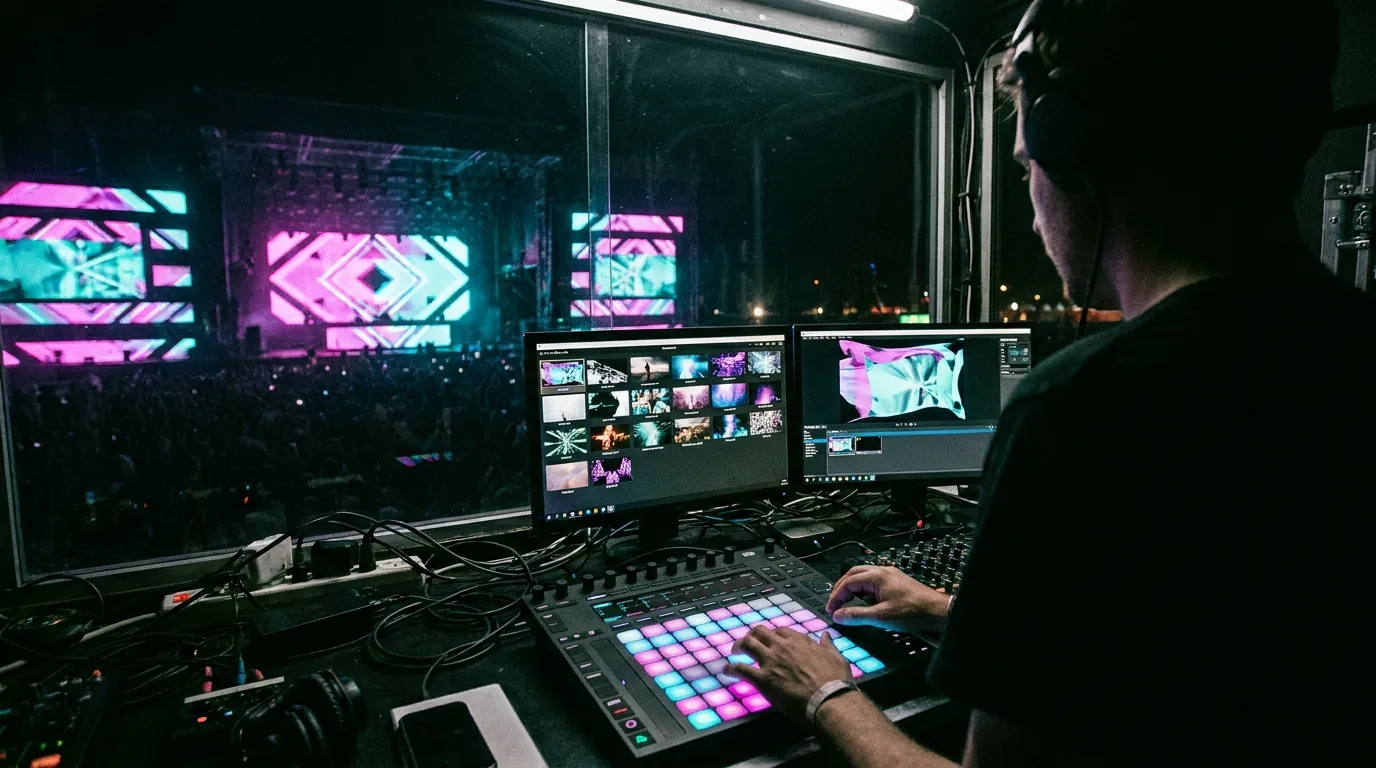
What Resolume Actually Is
Resolume is made by a Dutch company of the same name and ships in two editions, Avenue and Arena. Both are desktop applications for Windows and macOS; there is no phone or tablet edition.
Avenue is the VJ application. Your media sits in a grid: layers stacked vertically, columns running across. You trigger a clip, or a whole column at once, and the layers mix down through blend modes and opacity, exactly like a video mixing desk. Effects hang off individual clips, off a layer, or off the whole composition, and their parameters can be driven by audio analysis or by the tempo you have tapped in — which is why a Resolume set can move with a DJ rather than beside them. Control comes from MIDI hardware, OSC, or the keyboard, and the application connects to the rest of a live pipeline through Syphon, Spout and NDI.
Arena is Avenue plus the output side that a bigger show needs. It adds a screen-and-slice output stage where you cut the composition into pieces and warp each one onto a physical surface, soft-edge blending so several projectors overlap into one continuous image, and the integration pieces — timecode, lighting control — that let projection sit inside a production run by other departments. That is the edition people mean when they say "Resolume does projection mapping".
What Resolume is better at
No mapping-first tool further down this page stands in for a fully MIDI-mapped clip grid — reaching for a controller and changing what the room is looking at on the next beat, with a fade time you set by feel. The effects pipeline is deep and stackable, effect parameters can be linked to audio analysis with real precision rather than as decoration, and the FFGL plugin standard means third-party effects drop straight in. Arena's soft-edge blending is a working multi-projector capability, not a checkbox. Resolume also has an install base advantage: freelance into clubs and festivals and it is frequently the software already sitting on the house machine, which means no rider negotiation and no unfamiliar rig at 6pm.
If that describes your job, buy it. The rest of this article is for the people it does not describe.
VJ Tool vs Mapping Tool: The Distinction That Decides This
Both categories warp video onto surfaces. They are still different products, because they are organised around different things.
A VJ tool is organised around time. The document you build is a set: which clips exist, how they layer, what happens when you hit the next column. Geometry is the last stage in the chain — the finished mix gets sliced and warped on its way to the projector. That ordering is correct for performance, where the composition changes constantly and the surface does not.
A mapping tool is organised around space. The document you build is the surface set: this quad is the left face of the pillar, this one the right, this polygon is the doorway you must keep dark. Content is assigned into those surfaces afterwards, and it is the cheap part to change. That ordering is correct when the surface is complicated and the content is not.
The consequence shows up the moment a job changes. On a VJ tool, adding a fourth object to a scene means re-cutting the output slices and rearranging the composition so the right pixels sit in the region that gets sent to that slice — you are editing two things that have to agree with each other. On a mapping tool, it means drawing a fourth surface and dropping a clip on it. Neither is harder in the abstract; each is much harder at the wrong kind of job.
There is a second consequence, about where you stand while you work. A VJ tool assumes an operator seated at the machine, because the machine is the instrument. A mapping tool does not need that assumption — the useful vantage point is the surface itself, looking at the projection from where the audience will look at it. On an irregular object, the walk-look-walk-back loop between the laptop and the surface eats a large share of your setup time, and no amount of software power shortens it if the software cannot come with you.
A rough test: if most of the difficulty in your job is a physical object, you want a mapping tool. If most of it is a set that has to change with the music, you want a VJ tool. If it is both — a mapped stage set that you also perform live — Arena is doing two jobs, and a cheaper tool that covers one of them rarely feels like a saving six months later.
When a Resolume Alternative Makes More Sense
Three situations where a different category of tool wins outright — and, at the end, one where it does not.
1. The surface is the job
A shop window with mullions. A car in a showroom. A stack of cubes at a trade stand. A house front at Halloween. These jobs share a shape: one projector, one operator, a cue list of roughly "start it and let it run", and all of the difficulty in the geometry. What they need is precise per-surface warping, clean masks so light stays off the doorway and the neighbour's window, and a map you can nudge on site when the projector gets bumped.
Buying a performance application to reach its output stage means learning a clip grid you will never trigger and paying for blending you will never use — and, more to the point, it means the geometry lives one layer down, behind the part of the interface built for something else. A mapping-first tool puts surfaces on the front screen. On a two-hour retail install that is the difference between finishing and explaining why you have not.
2. You want to work from the surface, not the desk
Resolume is desktop-only, so calibration means putting a laptop somewhere with sightlines to the wall, or walking back to it every time you nudge a point. Hold the controls while standing two metres from the object and mesh warping stops being a guessing game: you drag a point, you watch it land, you move on. The gap is small on a flat wall you can see from the desk, and it grows fast on anything curved, anything with a doorway to keep dark, or anything you can only judge from the audience's seats. Our guide to mapping from an iPhone or iPad covers the output side of that workflow.
3. You want a lighter licence commitment
People search for something cheaper than Resolume and then compare headline figures, which is the wrong comparison. Ask three questions instead. Is the licence perpetual or recurring — and if it lapses, can you still open last year's project the week before a repeat booking? Is it per-machine, which matters the moment you want the show on the venue's spare laptop as a backup? And are major version upgrades included or charged separately? Those three answers decide what a tool costs over three years far more than the first invoice does. Check current pricing on each vendor's own site before you commit; it changes, and second-hand figures in blog posts age badly.
And the case where a mapping tool is the wrong answer
If you are looking for a Resolume Avenue alternative specifically — live clip performance, no mapping at all — the answer is another VJ application, not a mapping app. VDMX and Modul8 are the long-standing macOS options, both built around live triggering and controller input; TouchDesigner can be patched into a VJ rig if you want to build the instrument yourself. A surface mapper has no clip grid to substitute, so nothing in the table below will serve you, SurfaBeam included.
Related reading
- Projection mapping software: the full guide — the four categories of tool and how to choose between them.
- Projection mapping software for Windows — installer, Microsoft Store and Steam routes compared.
- Free projection mapping software — what a zero-budget setup actually gets you.
- Lazy Lighting alternatives — the same comparison, from the iOS end of the market.
The Alternatives, Sorted by What They Are For
Licence models below are described in general terms on purpose — vendors change them, and a number quoted here would be wrong within a year. Check each vendor's site for current pricing.
| Tool | Runs on | Organised around | Best at |
|---|---|---|---|
| Resolume Avenue / Arena | Windows, macOS | Clips and time | Live VJ performance; Arena adds mapping and edge blending |
| MadMapper | Windows, macOS | Surfaces | Mapping-first desktop work, plus LED and DMX fixture output |
| HeavyM | Windows, macOS | Surfaces | Fast mapping with a built-in generative visual library |
| Millumin | macOS only | Cues and time | Theatre and staged shows with a rehearsed cue list |
| TouchDesigner | Windows, macOS | Nodes and signal flow | Custom generative and interactive systems; free non-commercial tier |
| VPT, MapMap, LPMT | Desktop | Surfaces | Zero-budget mapping; free to use, community support only |
| SurfaBeam | Windows, macOS, Android, iOS | Surfaces | Single-output mapping you can calibrate standing at the wall |
Two things fall out of that table. First, most "Resolume alternatives" are not alternatives at all — they sit in a different column, and swapping into one only helps if you were in the wrong column to begin with. A mapping tool is not a cheaper Arena; it is a different instrument that happens to share one feature name. Second, the table has a ceiling as well as a floor. If the requirement is six projectors blended across a facade, running to timecode, alongside lighting and audio departments, the step up from Arena is a media server — disguise, Dataton Watchout, Green Hippo Hippotizer, Christie Pandoras Box — which at that scale is usually hired with an operator rather than bought. Nothing at the cheaper end of this table substitutes for that, and the sensible move is to price the hire rather than keep shopping for software.
If You Want a Free Option
Searches for a Resolume alternative free of charge have three real answers, none of which is "the same thing for nothing".
Free desktop mappers — VPT, MapMap, LPMT — do real geometry work and cost nothing. The trade is the usual one: interfaces built by developers for developers, documentation that assumes you already have the vocabulary, and nobody to call at 7pm when doors are at 8. Budget a weekend to learn one, not an afternoon, and do that learning before you have a booking. TouchDesigner's free non-commercial licence is powerful and comes with its own limits and a steep curve; it is a development environment you build an instrument in, not an application you open the day before a gig.
The third answer is a free tier on a commercial app, usually the fastest route in because the constraint is a feature gate rather than a knowledge gate — you are stopped by a locked button, not by not knowing what to type. SurfaBeam's free version is a fair example of the shape: the full mapping, media, effects, tracking, visualizers and Timeline toolset is there, but the projected image and exported video carry a watermark, an entry gate appears before mapping, and saving or loading project files is reserved for Pro. In practice that means you can map the real object, judge the warping quality and decide whether the tool suits your surface before spending anything — you just cannot keep the file or ship the recording. The wider comparison is in our guide to free projection mapping software.
Try the mapping-first approach on desktop
SurfaBeam runs on macOS and Windows with the same toolset as the mobile builds — mesh warping, corner pinning, masking, multi-surface mapping, tracking, visualizers and a Timeline. Free to start.
Where SurfaBeam Fits — and Where It Does Not
Start with what it is not, because that is the useful half. SurfaBeam is not a VJ application. There is no clip grid, no MIDI controller mapping, no DMX or Art-Net fixture control, and no soft-edge blending across multiple projectors. If your show needs any of those, Arena is the better purchase — and no amount of feature-matching elsewhere on this page changes that.
What it is: a single-output, mapping-first tool that runs the same engine on macOS, Windows, Android and iOS. Mesh warping and corner pinning, digital masking, multi-surface mapping, MP4 and PNG import, touch- and sound-reactive effects, hand, body and object tracking, visualizers and a Timeline editor for sequencing a piece that has to repeat all evening. Output goes out over USB-C or Lightning HDMI, or wirelessly via AirPlay and Chromecast for rehearsal and home use.
The workflow this enables is split across two devices, which is something a desktop-only application cannot match. Build the map and cut the content on the desktop, where you have a keyboard and a large screen. Then take a phone or tablet to the venue for the calibration pass and adjust from where the audience will stand. On Windows there are three install routes — a direct .exe installer, the Microsoft Store and Steam, where the base app is free and Pro is a one-time DLC rather than a subscription — relevant if recurring licence costs are what pushed you to look for an alternative in the first place. On the App Store and Google Play, Pro is sold as Monthly, Quarterly, Yearly or one-time Lifetime plans.
One Pro feature is worth calling out for anyone coming from a desktop suite: Map Export to PNG. Once a surface is calibrated, exporting the map gives you a template to design against in After Effects, so content is built to fit the object rather than nudged into place afterwards. Pro also removes the watermark and the entry gate and unlocks Save, Load and Export. There is a fuller feature-by-feature breakdown in our comparison of mapping apps, and every panel and gesture is documented in the SurfaBeam user guide.
A Practical Way to Decide Before You Spend Anything
Five steps, in this order. They take an hour and they settle the question better than any feature table, including the one above.
- Write the cue list first. Literally write out what happens minute by minute. If it reads "loop A for four hours", you do not need a performance tool. If it reads "trigger on the drop, then whatever fits", you do.
- Count the surfaces. One flat plane needs corner pinning. Anything curved needs mesh warping. Several separate objects need independent geometry per surface, which is where cheap tools quietly stop.
- Count the projectors. One means almost any tool on this page. Two overlapping into a single image means edge blending, which narrows the field to Arena and upwards immediately.
- Decide who operates it on the night. If that person is not you, the deciding factor is how quickly they can be taught, not how deep the software goes.
- Test on the actual surface, not a wall at home. Install the free tier or trial of your top two, take a projector to the real object for twenty minutes, and warp the same clip in both. The one that gets you a clean map faster is your answer, and it is frequently not the one with the longer feature list.
If you are new to the geometry side, the projection mapping software pillar guide covers what these tools do under the hood, and the Android app comparison covers the field-device end of the same question.
Frequently Asked Questions
What is the best Resolume alternative?
There is no single best Resolume alternative, because Resolume covers two jobs at once. If you mainly need surface mapping, mapping-first tools such as MadMapper, HeavyM or a cross-platform app like SurfaBeam fit better. If you mainly need live clip performance, look at other VJ applications rather than mapping apps. If you need multiple projectors edge-blended into one image and a show locked to timecode, Resolume Arena is already near the top of its category and the honest alternatives are media servers, not cheaper apps.
What is the difference between Resolume Avenue and Resolume Arena?
Avenue is the VJ application: a grid of clips arranged in layers and columns that you trigger live, with an effects chain and audio-reactive parameters. Arena is Avenue plus the output side a bigger show needs — projection mapping through a screen-and-slice setup, soft-edge blending across several projectors, and integration with timecode and lighting control. If you never map a surface, Avenue is the edition you are actually shopping for.
Is there a free Resolume alternative?
Yes, with caveats. Free desktop mapping tools such as VPT, MapMap and LPMT do real mapping at no cost, though the interfaces are rough and support is community-based. TouchDesigner has a free non-commercial licence with limits. Several commercial apps also have free tiers: SurfaBeam's free version includes the full mapping, media, effects, tracking, visualizers and Timeline toolset, but it watermarks the projected image and exported video, shows an entry gate before mapping, and reserves saving and loading project files for Pro.
Do I need Resolume Arena just to do projection mapping?
No. Arena is the right purchase when you also need live clip triggering, an effects pipeline and multi-projector blending in the same application. If the job is a single projector onto a wall, an object, a shop window or a stage flat, a dedicated mapping tool gets you there with less software to learn and a smaller licence commitment. Buy Arena for the performance side, not for the warping.
Can I run a Resolume alternative on a tablet or phone?
Not with Resolume itself, which is a Windows and macOS desktop application. Some cross-platform mapping apps do run on mobile: SurfaBeam runs the same mapping toolset on Android, iOS, macOS and Windows, so you can build a map on the desktop and take a phone or tablet to the surface for the calibration pass. That removes the walk back and forth to the laptop, which on an irregular object is most of the setup time.
More questions of this kind are answered in our projection mapping FAQ, and new comparisons are posted regularly on the SurfaBeam blog.
Test it against your actual surface
Install SurfaBeam on the machine you already work on — macOS or Windows — and put the same clip on the same object you were going to map in Resolume. The free version includes the full mapping, media, effects, tracking, visualizers and Timeline toolset, so twenty minutes with a projector will tell you more than any comparison table.