What Optoma Projection Mapper Actually Is
Optoma Projection Mapper is a touch-based projection mapping app built by Reo Tek. It launched in 2016 as DynaMapper, ran under that name for years, and later took on the branding of Optoma, the projector manufacturer — same developer, same app, new name. That rebrand is why half the tutorials you find still say DynaMapper and why both names keep showing up in searches for the same product.
It runs on Android phones and tablets, on iPhone and iPad, and on Amazon Fire tablets. It is a paid one-time purchase — no subscription — and the purchase includes a bundled content pack of materials to project, with further themed packs sold separately inside the app. Despite the name on the icon, it works with any projector your device can reach over HDMI or a wireless receiver; you do not need Optoma hardware, and Optoma hardware unlocks nothing extra.
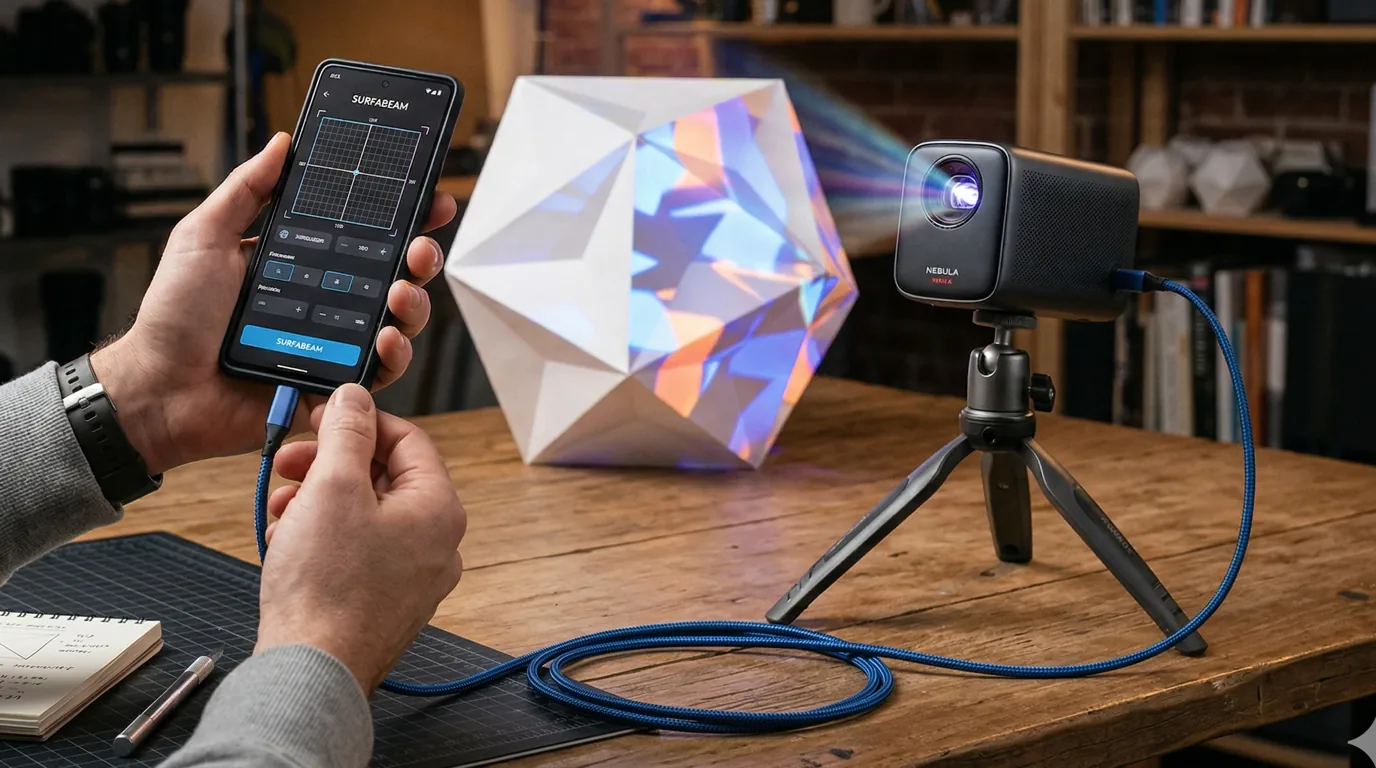
The design brief is the same one SurfaBeam was built to: stand at the object with a phone or tablet in your hand, drag surfaces onto real things, and drive a single projector. That shared brief is exactly why this comparison is worth making — and why most of the other names people suggest as alternatives are not. MadMapper and Resolume are desktop show-control tools at desktop prices; they solve a different problem. The full field is laid out in our roundup of the best projection mapping apps for 2026.
Where to Get It — and Why the APK Hunt Goes Nowhere Good
Three official routes: Google Play on Android, the App Store on iPhone and iPad, and the Amazon Appstore on Fire tablets. Search the store by name and pay once. That is the whole acquisition story, and it is the only version of the story with a happy ending.
A remarkable number of people search for an Optoma Projection Mapper APK instead, and it is worth being blunt about what that search returns. There is no official APK download, because the app is sold through Google Play — the developer has no reason to hand out a free installer of a paid product. Every site offering the APK is therefore offering an unauthorised copy, and those come in two flavours: stale and dangerous. Stale means a version frozen at whatever release someone ripped, which will never update and may not run on a current Android build. Dangerous means repackaged — an APK is trivially easy to unzip, inject with ad SDKs or worse, and re-sign, and mapping apps ask for exactly the permissions (storage, network, sometimes camera) that make a tampered copy worth someone's while.
If the APK hunt started because your device has no Play Store, the Amazon Appstore covers Fire tablets, and that is the legitimate sideload-adjacent route. If it started because you did not want to pay, the honest answer is not a pirated paid app — it is an app that is actually free. SurfaBeam's free edition is permanently free, not a trial: the full mapping, masking, warping, media, effects, tracking, visualizer and Timeline toolset, with a watermark on projected and exported output and an entry gate before mapping (subscribe, or watch a rewarded ad on Android). A watermark is a fair price for zero dollars; malware is not. If you are choosing an Android mapper from scratch, the Android-specific comparison goes deeper on that platform.
What Optoma Projection Mapper Does Well
Credit where it is due, because a comparison that pretends the incumbent is junk is no use to anyone deciding with real money.
- Fast flat-surface mapping. Quads you drag into position by their corners, with sides that can bend into simple bezier curves. For a wall of boxes, a doorway, an arched window or a gently curved column, that is genuinely enough, and the touch workflow is quick once you have done it twice.
- Something to project on night one. The bundled content pack means a first-time user has materials to throw at a wall before they have made or bought anything. For a birthday-party wall or a shop window this matters more than veterans admit.
- One price, once. A single inexpensive purchase with no recurring charge is the simplest pricing model in this category, and for someone who maps twice a year it is a real argument.
- A long track record. The app has existed since 2016, the workflow is documented across a decade of tutorials (under both names), and it carries a projector maker's brand, which counts for something with cautious buyers.
Where It Stops
None of what follows makes it a bad app. It marks the edge of the brief it was built to, and whether that edge matters depends entirely on what you point the projector at.
- Surface geometry is rectangles plus simple curves. Sides bend into bezier arcs, which beats a plain four-corner keystone, but there is no finer control over how a curve enters and leaves a corner. On a sphere, a pumpkin, a car panel or anything with a compound curve, you run out of handles before the image hugs the shape.
- No timeline. You cannot sequence clips across an evening — one look per surface until you change it by hand.
- No camera-based tracking. Nothing in the app responds to a hand, a body or an object moving through the beam.
- Mobile only. There is no macOS or Windows build, so a display that runs three hours a night unattended has to run from a phone or tablet, with the sleep, calls and notifications that implies.
- A slow update cadence. When we checked the store listings in August 2026, recent release activity was thin. The app works today; how it tracks the next OS release is a fair question to hold, and one a one-time purchase makes harder to fund. Read that as an observation about momentum, not a prediction.
Judge it on your own wall, not on a listing
The fastest way to settle a comparison is ten minutes with a projector. SurfaBeam's free edition installs on the phone in your pocket, maps a real surface tonight, and stays free permanently — the watermark comes off if you ever go Pro, and nothing about the trial expires because it is not a trial.
The Honest Alternative: What SurfaBeam Adds, and What You Would Give Up
Among the apps people actually land on when they search for an alternative, SurfaBeam is the one built to the same brief — touch-native, one projector, consumer money — rather than a desktop suite wearing the word. So this section runs both directions, because a switch has a cost as well as a gain.
What SurfaBeam adds
- Bezier edge warping with tangent handles. A surface still has four corners, but toggle WARP and every straight edge becomes a Bezier curve pulled by two orange tangent handles — double-tap a corner to reveal them. Steering how each curve leaves its corner is the difference between an arc that roughly follows a curved object and an edge that hugs it, and it is the tool the pumpkin-and-sphere crowd is missing on the other side.
- Custom image masks. Pick Custom Mask carves a surface to the light-and-dark shape of an image you supply, with a Threshold slider and an Invert toggle — so an irregular silhouette takes one photograph instead of an evening of edge-nudging. PNG overlays stack on top, and Extended Mask Video with Child Video Mask spans a single clip across several surfaces.
- A Timeline. Sequence clips so an evening show changes without you standing at the phone swapping media by hand.
- Camera-based tracking. Hand, body and object tracking from the device camera, calibrated once per setup, for interactive pieces.
- Four platforms. Android, iOS and iPadOS, macOS and Windows — the Windows build ships as a direct .exe, through the Microsoft Store, and on Steam, where Pro is a one-time DLC rather than a subscription. A display that must run unattended for hours can live on a desktop machine while the same toolset stays on your phone for the alignment pass. Every install route is collected on the download page.
- A permanently free way in. The free edition carries the full toolset with a watermark and the entry gate, forever, so evaluating it costs nothing but ten minutes.
One portability caveat stated plainly, because we hold competitors to the same standard: there is no cloud sync and no automatic handoff between devices. Pro's Save to Files writes a portable project file that Load from Files opens on another machine, but the project stores links to your media, so the clips have to travel too.
What an Optoma Projection Mapper user would give up
- Your content packs. The bundled pack and anything you bought on top are licensed inside the app and do not export. SurfaBeam ships no content library at all: it plays the MP4 video and PNG images you bring. If those packs are the reason your displays look the way they do, switching means replacing them with purchased loops or your own media, and that is a real cost.
- One-price simplicity on mobile. Optoma Projection Mapper is bought once. SurfaBeam Pro on the App Store and Google Play is a subscription — monthly, quarterly or yearly — or a one-time Lifetime purchase; on Steam it is a one-time DLC. There is a one-time route on every platform — Lifetime on the App Store and Google Play, and a one-time DLC on Steam, but the default mental model changes, and some people reasonably hate that.
- Free-edition friction, if you stay free. The watermark sits on projected and exported output, the entry gate appears before mapping, and Save, Load and Export — including Map Export to PNG — are Pro-only. The free edition is a genuine tool, not a demo, but a repeatable install you rebuild from scratch each night argues for Pro.
And the shared boundary, so nobody discovers it the hard way: neither app does multi-projector edge blending, DMX or fixture control, NDI or Syphon feeds, or true 3D-model projection from a virtual camera. Both drive one projector from one device. When a job outgrows that, it has outgrown this entire category, and the money changes accordingly.
Side by Side
Pricing describes how each app charges rather than exact figures, because store prices move — read the listing before you buy. Both columns verified against the store listings in August 2026.
| Optoma Projection Mapper | SurfaBeam | |
|---|---|---|
| Platforms | Android, iOS, Amazon Fire | Android, iOS & iPadOS, macOS, Windows (.exe, Microsoft Store, Steam) |
| Price model | Paid one-time purchase; content pack bundled, extra packs sold separately | Permanently free edition (watermark + entry gate); Pro monthly, quarterly, yearly or one-time Lifetime — one-time DLC on Steam |
| Surfaces & warping | Rectangles positioned by their corners; sides bend into simple bezier curves | Four-corner surfaces; WARP turns each edge into a Bezier curve with a Bezier curve per edge, pulled with two orange tangent handles |
| Masking | The surfaces you draw define the lit area | Surfaces plus Pick Custom Mask (image-based, Threshold and Invert), PNG overlays, Extended Mask Video across surfaces |
| Content | Bundled pack, themed packs sold in-app | None bundled — plays your own MP4 video and PNG images |
| Timeline | No | Yes — sequence clips across an evening |
| Tracking | No | Camera-based hand, body and object tracking (calibrate once per setup) |
| Best for | Flat panels, arches and first-night results from bundled content at a one-time price | Curved objects, timed shows, interactive pieces, and displays hosted on a desktop |
Which One Should You Pick?
Stay with Optoma Projection Mapper if your surfaces are flat or gently curved, the bundled packs carry your displays, and a one-time purchase on a tablet is the whole relationship you want with mapping software. Nothing on this page argues you out of that; it is the right tool for that job, bought once.
Move to SurfaBeam when the object fights a straight edge — pumpkins, spheres, car panels, sculpture — when the show needs to change over the evening without you at the phone, when you want a hand or a passer-by to drive the visuals, or when the display has to run from a Mac or a Windows machine for three unattended hours. Start with the free edition and let the watermarked result on your actual wall make the argument either way.
If neither quite fits, the adjacent option worth knowing is Lazy Lighting — free to download with paid tiers, phone and tablet only, drawing-led — which we cover honestly in the Lazy Lighting alternatives guide. And whichever app wins, the projector matters more than the software: brightness in genuine ANSI lumens against your surface size decides whether anything looks good, and the SurfaBeam FAQ defines ANSI lumens and throw ratios properly, including why the inflated LED-lumen figures on cheap listings run about ten times the honest number.
Keep reading
- The best projection mapping apps for 2026 — the full field, side by side.
- The best projection mapping app for Android — for the phone already in your pocket.
- Lazy Lighting alternatives — the other mobile-first mapper, compared the same way.
- Projection mapping FAQ — ANSI lumens, throw ratios, cables and formats in one place.
Frequently Asked Questions
Is Optoma Projection Mapper free?
No. It is a paid app — a one-time purchase on Google Play, the App Store and the Amazon Appstore, with a content pack bundled in and further themed packs sold separately. There is no free edition of it. If the one-time price is what appeals, that model is genuinely rare in this category and worth valuing; if what you actually need is a free way to start mapping tonight, SurfaBeam's free edition is permanently free with the full toolset, a watermark on projected and exported output, and an entry gate before mapping.
Where can I download the Optoma Projection Mapper APK?
There is no official APK download. Optoma Projection Mapper is a paid app distributed through Google Play and the Amazon Appstore, so any site offering the APK for free is passing around an unauthorised copy: typically an old version, sometimes repackaged with adware, and never one that will update. Install it from the store on your platform. If the APK hunt started because the app is paid, the honest free route is a permanently free mapper rather than a pirated paid one.
What happened to DynaMapper?
DynaMapper became Optoma Projection Mapper. The app was built by Reo Tek and launched in 2016 under the DynaMapper name, then took on the branding of Optoma, the projector manufacturer. It is the same developer and the same app under a new name, which is why older DynaMapper tutorials still line up with the current interface reasonably well.
Does Optoma Projection Mapper require an Optoma projector?
No. Despite the name it works with any projector your phone or tablet can output to, over HDMI or a wireless receiver, and Optoma hardware gets no special features from it. Choose the projector by ANSI brightness for your surface and lighting rather than by brand.
Can I move my purchased content packs to another app?
No. The bundled and purchased packs are licensed inside Optoma Projection Mapper and do not export, so switching to SurfaBeam or anything else means leaving them behind. SurfaBeam ships with no content library at all — it plays the MP4 video and PNG images you bring — so budget for loops from a content producer or plan to make your own if you switch.
More answers of this kind live in the SurfaBeam FAQ, and the user guide documents every panel and gesture in the app if you want the reference rather than the comparison.
Settle it with a projector, not a review
Ten minutes, one wall, your own media. Install the free edition on whatever is in your pocket, map something with a curve in it, and see whether the tangent handles earn their place. It stays free permanently — the watermark and the entry gate are the whole cost — and the same toolset is waiting on macOS and Windows when a display graduates to a desktop host.